
Controlling impedance in high-speed PCB design involves strategically engineering the physical dimensions and material properties of circuit board traces to maintain a consistent characteristic impedance, typically 50 ohms for single-ended signals or 100 ohms for differential pairs. This is critical for preserving signal integrity by preventing destructive issues like reflections, ringing, and timing errors, thereby ensuring reliable and high-performance data transmission. Effective impedance control is a cornerstone of modern electronics, impacting everything from consumer gadgets to advanced data centers.
As digital clock speeds and data rates continue to skyrocket, the traces on a Printed Circuit Board (PCB) no longer behave as simple copper wires. Instead, they must be treated as complex transmission lines. At high frequencies, a signal traveling down a trace “sees” an instantaneous impedance at every point along its path. If this impedance is not uniform and does not match the impedance of the driver and receiver, a portion of the signal’s energy is reflected back, causing severe distortion. This guide will provide an in-depth, practical walkthrough of what impedance control is, why it matters, and precisely how to implement it in your designs.
Table of Contents
- What is Impedance Control and Why is it Crucial for High-Speed Designs?
- The Core Factors That Determine PCB Trace Impedance
- Practical Implementation: How to Design for Controlled Impedance
- Advanced Considerations in Impedance Control
- Verification and Testing: Did You Get It Right?
- Key Takeaways: Your Impedance Control Checklist
- Frequently Asked Questions (FAQ)
What is Impedance Control and Why is it Crucial for High-Speed Designs?
In the realm of high-speed electronics, impedance control is the process of designing and manufacturing a PCB to ensure that the impedance of a trace—the path a signal travels—is maintained at a specific value from the signal’s source to its destination. Think of a signal traveling down a trace like water flowing through a hose. If the hose’s diameter is consistent, water flows smoothly. But if the diameter suddenly changes, you get turbulence and back-pressure. Similarly, any change in a trace’s impedance causes signal energy to be reflected, corrupting the original signal and jeopardizing the functionality of the entire device.
This practice is not merely an option but a necessity for circuits where the signal’s rise time is fast enough that the trace length becomes a significant fraction of the signal’s electrical length. A common rule of thumb is that impedance control is required when the round-trip propagation delay of a trace is greater than the signal’s rise time. For modern interfaces like DDR, HDMI, USB 3.0, and PCIe, this condition is always met, making controlled impedance a non-negotiable design requirement.
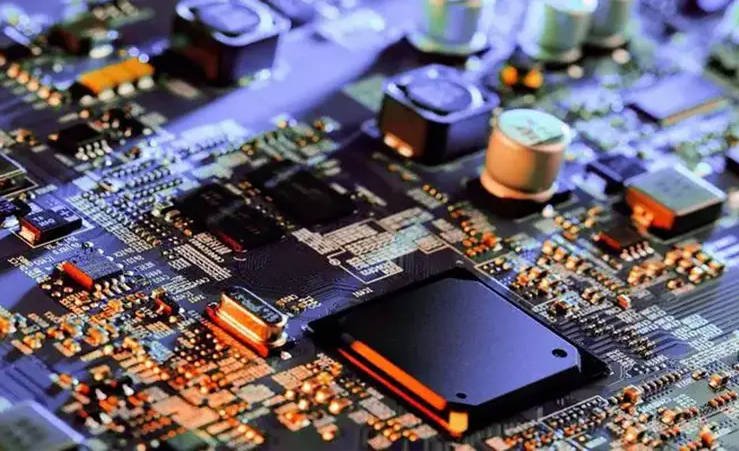
Defining Characteristic Impedance (Z₀) in the Context of PCBs
Characteristic Impedance (Z₀) is the opposition to alternating current that a signal sees as it propagates down a uniform transmission line. It’s a dynamic property determined by the physical geometry and material characteristics of the PCB, not the simple DC resistance of the copper trace. Z₀ is a function of the distributed inductance (L) and capacitance (C) per unit length of the trace. Specifically, Z₀ = √(L/C). A trace on a PCB forms a capacitor with its reference plane (usually a ground or power plane) and has inherent inductance.
The goal of impedance control is to make this Z₀ value consistent along the entire length of the trace. The industry standard for single-ended signals (like a single data line) is typically 50 ohms. This value was established as a practical compromise, offering a good balance between minimizing power loss and being manufacturable. For differential pairs, which consist of two coupled traces carrying opposite-polarity signals, the target is typically 100 ohms differential impedance.
The Consequences of Uncontrolled Impedance: Signal Integrity Nightmares
Failing to control impedance leads to a host of signal integrity (SI) problems that can be notoriously difficult to debug. When a signal encounters an impedance mismatch, it’s like hitting a wall. A portion of the signal reflects back toward the source, while the rest continues forward. This phenomenon creates several issues:
- Reflections and Ringing: The reflected signal can interfere with the primary signal, causing “ringing” (oscillations) at the signal’s rising and falling edges. This can cause the receiver to incorrectly interpret a logic high as a low, or vice versa, leading to bit errors.
- Overshoot and Undershoot: Severe ringing can cause the signal voltage to exceed the maximum voltage rating of the input pin (overshoot) or drop below its minimum rating (undershoot). This can permanently damage the receiving component.
- Timing and Jitter Issues: Reflections can distort the shape of the signal’s edge, shifting the point at which it crosses the logic threshold. This introduces timing uncertainty, known as jitter, which can cause setup and hold time violations in synchronous systems, leading to catastrophic data corruption.
These issues are often intermittent and sensitive to temperature and voltage variations, making them a nightmare for testing and validation. Proper impedance control eliminates the root cause of these problems, leading to a robust and reliable product.
The Core Factors That Determine PCB Trace Impedance
Achieving a target impedance is a balancing act involving several key physical and material parameters. Understanding how each factor influences the final impedance is crucial for any designer. The primary variables you can control are the trace geometry and the material properties of the PCB stack-up.
The Role of PCB Substrate: Dielectric Constant (Er)
The substrate material, or dielectric, that separates the trace from its reference plane plays a massive role. The most important property of this material is its Dielectric Constant (Er or Dk). This value represents how well a material can store electrical energy in an electric field. A lower dielectric constant allows for faster signal propagation and is generally preferred for high-frequency applications. Critically, a higher dielectric constant (Er) will lower the trace impedance, as it increases the capacitance between the trace and the reference plane.
Standard FR-4 material has an Er that can vary significantly (from 4.0 to 4.8) depending on the glass-to-resin ratio and frequency. For precise high-speed designs, it is essential to use more specialized materials like Rogers, Megtron, or Isola, which offer a lower, more stable Er across a wide frequency range. Always consult the material datasheet and your fabricator to get the exact Er value for the specific material and frequency you are using.
Trace Geometry: The Critical Dimensions (Width, Thickness, Height)
The physical shape and placement of the trace are the most direct tools a designer has for controlling impedance. Three dimensions are paramount:
- Trace Width (W): This is the most common parameter adjusted to hit a target impedance. A wider trace provides a larger cross-sectional area, which increases capacitance and lowers impedance. Conversely, a narrower trace increases impedance.
- Trace Thickness (T): This is the thickness of the copper foil used for the trace. A thicker trace slightly decreases impedance, but its effect is less pronounced than trace width or dielectric height. It’s often a fixed parameter based on the copper weight (e.g., 1 oz copper ≈ 1.37 mils or 35 µm).
- Dielectric Height (H): This is the thickness of the dielectric material between the trace and its reference plane. Increasing the height (H) moves the reference plane further away, which decreases the capacitance and therefore increases the impedance. This parameter is defined during the PCB stack-up design phase.
| Parameter | If you Increase the Parameter… | Effect on Impedance (Z₀) | Primary Control |
|---|---|---|---|
| Trace Width (W) | Trace becomes wider | Decreases | Designer (in layout) |
| Dielectric Height (H) | Trace moves further from reference plane | Increases | Designer & Fabricator (in stack-up) |
| Dielectric Constant (Er) | Substrate material changes | Decreases | Designer & Fabricator (material selection) |
| Trace Thickness (T) | Copper becomes thicker | Slightly Decreases | Fabricator (copper weight selection) |
The Impact of the Solder Mask
The solder mask is a thin protective layer applied over the copper traces. While often overlooked, it is a dielectric material that sits directly on top of outer-layer traces. This layer adds a small amount of capacitance, which slightly lowers the impedance of the underlying trace, typically by 2-3 ohms. For high-precision designs, this effect must be accounted for. Most professional impedance calculators have an option to include the solder mask thickness and its dielectric constant in the calculation. Internal traces (stripline) are not affected by solder mask.
Practical Implementation: How to Design for Controlled Impedance
Moving from theory to practice requires a methodical approach that combines design tools, clear communication with your manufacturing partner, and adherence to best practices.
Step 1: Choosing Your Trace Configuration (Microstrip vs. Stripline)
The first decision is where to place your high-speed traces in the PCB stack-up. This determines the trace configuration:
- Microstrip: A trace routed on an outer layer of the PCB, with a solid reference plane directly beneath it. The trace is surrounded by the dielectric below and air (and solder mask) above. Microstrip traces are easier to route and inspect but are more susceptible to EMI and have slightly less predictable impedance due to the air interface.
- Stripline: A trace routed on an internal layer of the PCB, sandwiched between two solid reference planes (e.g., ground and power). Because the trace is fully embedded in a uniform dielectric material, its impedance is more stable and predictable. It also offers excellent EMI shielding. However, routing is more constrained, and fabrication is more complex.
| Feature | Microstrip | Stripline |
|---|---|---|
| Layer | Outer (Top/Bottom) | Inner |
| Reference Planes | One | Two (one above, one below) |
| EMI/EMC Performance | Fair | Excellent |
| Impedance Stability | Good (affected by solder mask) | Excellent (fully embedded) |
| Propagation Speed | Faster | Slower |
| Fabrication Cost | Lower | Higher |
Step 2: Designing the PCB Stack-up with Your Fabricator
This is the single most important step for successful impedance control. You cannot achieve controlled impedance without a well-defined and manufacturable PCB stack-up. You must collaborate with your chosen PCB fabricator *before* you start routing. Provide them with your requirements: the number of layers, desired impedance values (e.g., 50-ohm single-ended, 100-ohm differential), and which layers you plan to use for these signals.
Your fabricator will propose a stack-up that specifies the exact materials (like FR-408HR or Rogers RO4350B), their dielectric constants (Dk) and dissipation factors (Df), the thickness of each core and prepreg layer, and the copper weights. Based on this stack-up, they will provide you with the precise trace widths needed to achieve your target impedance for both microstrip and stripline configurations. This information is your “contract” for the design, and you will use these trace widths in your EDA tool.
Step 3: Using Impedance Calculators and Design Tools
Once you have the stack-up information from your fabricator, you can use an impedance calculator to verify the values and set up your design rules. Most modern EDA software (like Altium Designer, Cadence Allegro, KiCad) has built-in impedance profilers and calculators.
To use them, you input the parameters from your stack-up:
- Dielectric constant (Er) of the material.
- Dielectric height (H) between the trace and its reference plane.
- Trace thickness (T).
- Target impedance (Z₀).
The calculator will then solve for the required Trace Width (W). You can then create a design rule in your software that enforces this specific width for all traces in your high-speed net class. This automates the process and ensures consistency during layout.
Step 4: Establishing Design Rules for Routing
Maintaining the calculated trace width is only part of the solution. You must also follow strict routing guidelines to avoid creating impedance discontinuities:
- Maintain a Solid Reference Plane: Every high-speed trace must have a continuous, solid reference plane directly underneath it. Never route a high-speed trace over a split or gap in the ground plane. Doing so creates a massive impedance spike and breaks the signal return path.
- Avoid Sharp Bends: Do not use 90-degree bends in your traces. The increased capacitance at the corner causes an impedance dip. Instead, use 45-degree bends or, even better, smooth, curved (arc) traces.
- Keep Trace Width Consistent: The trace width must remain constant along its entire length. Any “neck-down” to fit between component pads must be kept as short as possible.
- Minimize Vias: Vias are significant impedance discontinuities. Avoid them on critical high-speed lines if possible. If you must use them, use multiple vias to reduce inductance and ensure a good return path.
Advanced Considerations in Impedance Control
For cutting-edge designs, basic single-ended impedance control is just the beginning. Differential pairs and vias introduce additional layers of complexity that must be managed.
Managing Differential Pair Impedance (Zdiff)
Differential pairs use two coupled traces to transmit a single signal. The receiver measures the voltage difference between them, which provides excellent common-mode noise immunity. For these pairs, you must control not only the impedance of each individual trace (odd-mode impedance) but also the differential impedance (Zdiff) between them. Zdiff is determined by the same factors as single-ended impedance, plus one more: the spacing (S) between the two traces.
Bringing the traces closer together (decreasing S) increases their coupling, which lowers the differential impedance. The goal is to maintain both a consistent trace width (W) and a consistent spacing (S) along the entire length of the pair. Your EDA tool’s differential pair router will help enforce these constraints automatically. A common target is 100 ohms for Zdiff, but it can also be 90 ohms (USB) or 85 ohms (PCIe).
The Challenge of Vias: Maintaining the Impedance Path
A via is a vertical barrel of plated copper that connects traces on different layers. Structurally, it is very different from a planar trace and represents a significant impedance discontinuity. A standard via typically has a lower impedance than a 50-ohm trace due to its large parasitic capacitance. This mismatch can cause reflections, especially at multi-gigabit speeds.
To mitigate this, several techniques are used:
- Return Path Vias: Always place one or more ground vias as close as possible to the signal via. This provides a short, continuous path for the signal’s return current to follow as it transitions between reference planes.
- Optimizing Anti-pads: The clearance around a via on planes it doesn’t connect to is called an anti-pad. By carefully sizing the anti-pad, you can adjust the via’s capacitance to better match the trace impedance.
- Back-drilling: On very high-speed designs (e.g., 10+ Gbps), the unused portion of a via barrel, or “stub,” can act as an antenna and cause severe reflections. Back-drilling is a manufacturing process that removes this stub by drilling out the unused portion of the via after lamination.
Verification and Testing: Did You Get It Right?
Design is only half the battle. You must verify that the manufactured board meets your impedance specifications. This builds trust in your design process and your fabricator’s capabilities.
Working with Your Fabricator for Test Coupons
When you order a controlled impedance PCB, the fabricator doesn’t test the actual traces on your board. Instead, they add a small, separate circuit called an impedance test coupon to the same manufacturing panel. This coupon contains sample traces (microstrip and stripline) with the same geometry as the ones in your design. By manufacturing it on the same panel, it experiences the exact same process variations as your main board.
The fabricator then measures the impedance of the traces on this coupon. This provides a highly accurate representation of the impedance on your actual board without requiring destructive testing. You can request the test report from your fabricator, which will show the measured impedance values and their tolerance (e.g., 50 ohms +/- 10%).
Understanding Time-Domain Reflectometry (TDR)
The instrument used to measure impedance on the test coupon (or for debugging a live board) is a Time-Domain Reflectometer (TDR). A TDR works like radar for traces. It sends a very fast voltage pulse down the trace and listens for reflections. By analyzing the timing and amplitude of these reflections, it can create a plot of impedance versus distance along the trace.
This plot is incredibly powerful. It can pinpoint the exact physical location of any impedance discontinuity, whether it’s from a bad connector, a via, a neck-down in the trace, or a manufacturing defect. While TDR is a specialized piece of equipment, understanding what it does is key to interpreting impedance test reports and debugging high-speed issues.
Key Takeaways: Your Impedance Control Checklist
To ensure successful impedance control in your next high-speed design, follow this checklist:
- ✅ Identify Early: Determine which signals require impedance control based on their data rate and rise time.
- ✅ Define Targets: Specify the target impedance for single-ended (e.g., 50 Ω) and differential pairs (e.g., 100 Ω).
- ✅ Collaborate with Fabricator: Before routing, work with your manufacturer to create a detailed PCB stack-up. This is the most critical step.
- ✅ Use a Calculator: Use the stack-up data in an impedance calculator to determine the required trace widths and spacings.
- ✅ Set Design Rules: Configure your EDA tool to enforce the calculated widths and spacings for your high-speed nets.
- ✅ Route with Care: Maintain solid reference planes, use curved or 45-degree bends, and minimize vias.
- ✅ Manage Vias: Use return path vias and consider advanced techniques like back-drilling for very high speeds.
- ✅ Request Test Coupons: Always order your board with impedance test coupons and review the TDR report from your fabricator to verify the results.
Frequently Asked Questions (FAQ)
What is the standard impedance for single-ended traces?
The de facto industry standard is 50 ohms. This value provides a good compromise between low power loss and manufacturability for most applications.
How accurate does impedance control need to be?
A typical manufacturing tolerance for controlled impedance is +/- 10%. So, a 50-ohm trace is usually acceptable if it measures between 45 and 55 ohms. For more critical applications, a tighter tolerance of +/- 7% or even +/- 5% can be specified, though this often increases cost.
Does a power plane work as a reference for impedance control?
Yes, a solid power plane can serve as a reference plane just as effectively as a ground plane, provided it is well-decoupled to ground with capacitors. For the high-frequency signal, a well-decoupled power plane appears as an AC ground.
At what frequency or data rate do I need to start worrying about impedance control?
There is no single magic number, as it depends on the signal rise time and trace length. A good rule of thumb is to consider it for any signals with rise/fall times less than 1 ns, or for common high-speed interfaces like DDR, LVDS, HDMI, USB 2.0 (High-Speed), and above. When in doubt, implement it; it is better to have it and not need it than to need it and not have it.